How outfit-finding AI works: from a Reel to a shopping list, in plain English
A plain-English look at how FOUND turns a Reel into products: frames on your phone, outfit detection, image and text search, ranking and honest limits.
On this page
- Key takeaways
- What happens when you share a Reel?
- Why does FOUND use frames instead of the whole video?
- How does the AI spot each outfit and each piece?
- How does searching by image work?
- Why also search by text?
- How are the results ranked and labelled?
- What can go wrong?
- How can you get better results?
- Is this the same as using Google Lens yourself?
- The short version
The short answer
Outfit-finding AI works in four steps: it picks still frames from the video, detects each outfit and each piece in those frames, searches stores by image and by text for every piece, and ranks the products by how close they look. FOUND does this for public Instagram Reels and Indian online stores, and labels every result honestly.
Key takeaways
- FOUND samples up to 12 still frames on your phone and uploads only those frames, not the video.
- AI detects every outfit and every piece, from jackets and kurtas to shoes, bags and jewellery.
- Each piece is searched two ways: by image (Google Lens) and by text (Google Shopping).
- Products are ranked and labelled Likely match, Very similar or Similar.
- It struggles with poor lighting, hidden or partial pieces, heavy filters and private Reels.
“How does it know?” is the first question most people ask after trying an outfit finder. The honest answer is less magic than it looks. It’s a pipeline of fairly ordinary steps, each with its own strengths and weak spots. Here’s how FOUND works, step by step, and where it can go wrong.
What happens when you share a Reel?
There are three ways in: share a public Reel to FOUND from Instagram’s share menu, paste a Reel link, or upload a video or screenshot from your gallery. Whichever you use, the first step happens on your phone, not on a server.
Why does FOUND use frames instead of the whole video?
A Reel is many images played quickly. Most of them are almost identical, so analysing every one would be slow and wasteful. FOUND picks up to 12 still frames from across the video, on your phone, and uploads only those frames.
That choice does three things:
- It’s faster. A few images upload far quicker than a whole video, especially on mobile data.
- It sees more angles. Frames from across the video catch an outfit from the front, the side and up close, and catch outfit changes.
- It’s more private. Your full video never leaves your phone, and the uploaded frames are deleted within 24 hours. More on that in your privacy when using shopping apps.
How does the AI spot each outfit and each piece?
Next, an AI model looks at the frames and finds every outfit, and every piece within each outfit. It’s trained to recognise categories of clothing and accessories:
- outerwear, tops, bottoms and dresses
- ethnic wear like kurtas, sarees and lehengas
- shoes, bags, sunglasses, jewellery and hats
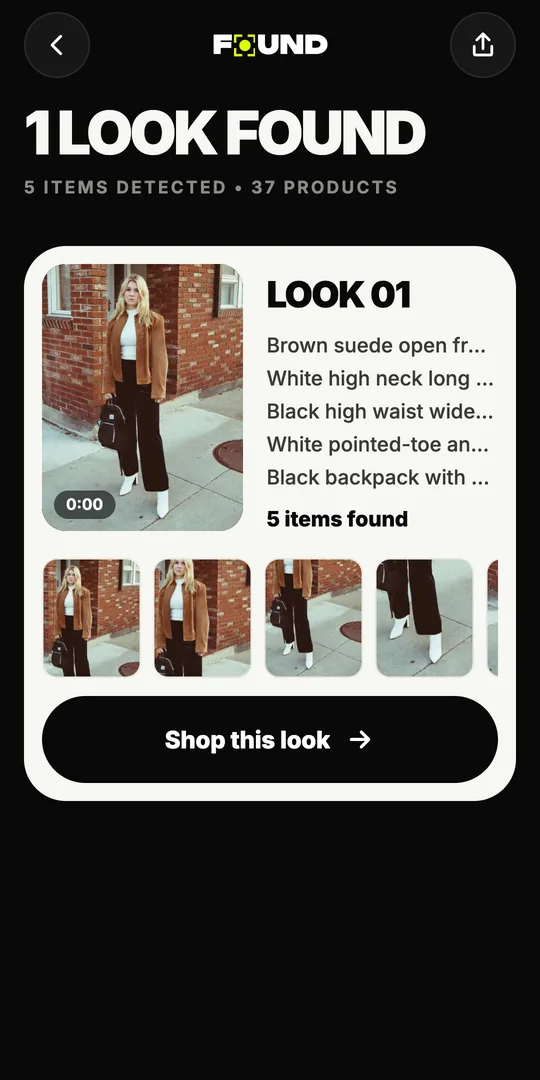
For each piece, it notes what it can see: the kind of item, its colour, pattern, material and style. Those notes matter later, because they become the words used for the text search. The same piece often appears in several frames, so the system can use the clearest view.
How does searching by image work?
Visual search compares pictures rather than words. FOUND searches each piece with Google Lens, which finds products whose photos look like the piece: similar shape, colour, pattern and texture.
Image search is great at things that are hard to describe. A particular print, an unusual neckline or a specific sneaker sole can be easier to match by look than by name. It’s weaker when the picture is poor: dark, blurry or partly hidden.
Why also search by text?
Because words catch what pictures miss, and the other way round. Using the AI’s description of the piece, FOUND also searches Google Shopping with text like “olive cotton cargo trousers” or “white chikankari kurta”.
Text search is good at the attributes that photos blur: fabric, fit, the type of garment. It also finds products whose photos are styled differently, like a flat-lay instead of a model shot, which image search can miss. Running both searches gives a wider, better set of candidates than either alone. If you’re curious about the words themselves, our fashion terms glossary explains many of them.
Pictures find what’s hard to describe. Words find what’s hard to see. Using both is the point.
How are the results ranked and labelled?
The searches return many candidates from Indian online stores, like Myntra, AJIO, Amazon.in, Meesho, Nykaa Fashion, Tata CLiQ and Flipkart. FOUND ranks them so the closest-looking products come first, and gives each one a label:
- Likely match: could be the same piece.
- Very similar: close in cut, colour and pattern.
- Similar: the same type of item with the same overall feel.
There’s a full explainer on what the labels mean and how to check a product. Alongside each product, FOUND shows the details the store lists: price in ₹, stock, delivery time, returns and rating. If a store doesn’t list something, FOUND doesn’t fill it in. Finally, “Shop the look” lets you pick one product per piece and see the total for the prices that are known.
What can go wrong?
Every step has limits, and it’s better to know them.
- Lighting and filters. Dim rooms, coloured lights and filters change how colours look, so results may come back a shade off.
- Partial views. A jacket that’s never shown fully open, shoes that are out of frame, a bag hidden behind an arm: the AI can only work with what’s visible.
- Motion blur and fast cuts. Quick transitions and movement can blur exactly the frame that mattered.
- Small details. Jewellery, buttons and fine embroidery are small in a phone-sized frame, so they’re harder to match exactly.
- Layering. When pieces overlap, like a dupatta over a kurta, it’s harder to tell where one ends and the next begins.
- Not sold online. Custom-made, vintage, boutique and older-season pieces may not exist in any online store. Here the “Similar” results are your friend.
- Private Reels. FOUND can’t see Reels that are visible only to an account’s followers. Upload a screenshot instead.
How can you get better results?
- Use the clearest source. If the Reel is dark or busy, upload a screenshot of the sharpest moment.
- Show the whole piece. A frame where the item is fully visible beats a close-up of half of it.
- Check more than the first result. Scroll the “Very similar” and “Similar” options; the right alternative might be a few places down.
- Verify before buying. Compare the cut, fabric and details, and check the seller and returns.
Is this the same as using Google Lens yourself?
It uses Google Lens, but it does more of the work. Doing it by hand means screenshotting, cropping each piece, searching, and filtering for stores that deliver in India, one piece at a time. FOUND looks at frames across the whole video, finds every outfit and piece, adds a text search, focuses on Indian online stores and labels how close each result is. Our guide on how to find clothes from an Instagram Reel compares the manual and app methods side by side.
The short version
Frames on your phone, detection of every piece, image plus text search, then ranking with honest labels. It’s not magic, and it has limits you can work around. Want to see it in action? FOUND is free on Android: get it on Google Play.
Seen it in a Reel?
Find it.
Share any public Instagram Reel to FOUND. It finds every piece and shows where to buy it from Indian stores. Free on Android.