Nothing to install
Open FOUND in Safari, Chrome or any modern browser, on iPhone, Android or a computer. Paste a Reel link or upload a video or screenshot.
New FOUND now works in your browser
Paste any public Instagram Reel. FOUND finds every outfit and each piece in it, then shows where to buy it from Indian stores, with prices in ₹.

Products from stores like
Results include products from Indian online stores like Myntra, AJIO, Amazon.in, Meesho, Nykaa Fashion, Westside, Tata CLiQ, Zara, H&M and Flipkart.
How it works
Reels to outfit, without the screenshots, the comment-section begging or the guesswork.
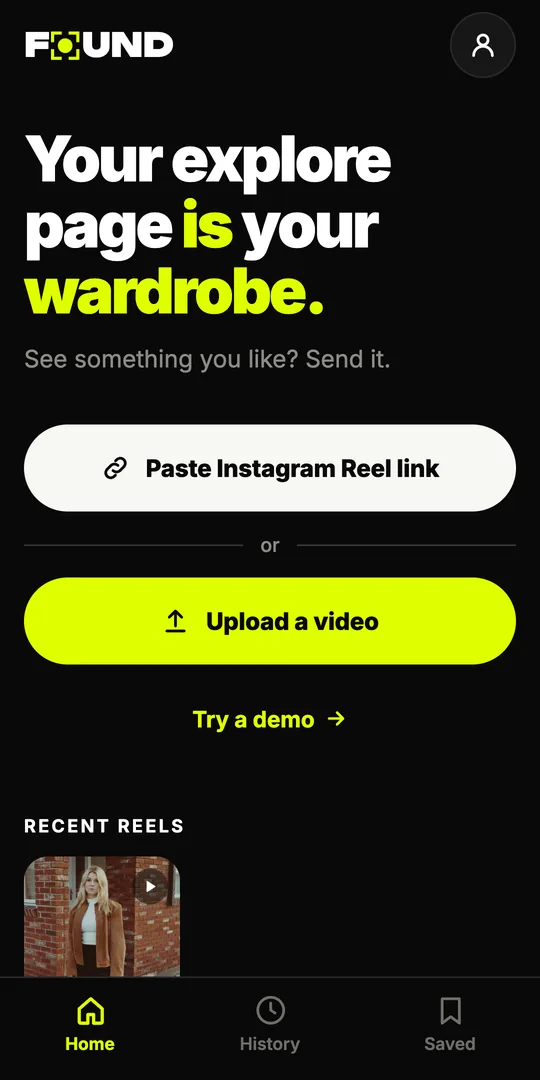
Copy the link of any public Instagram Reel and paste it into FOUND, or upload a video or screenshot. On Android, share it straight from Instagram.
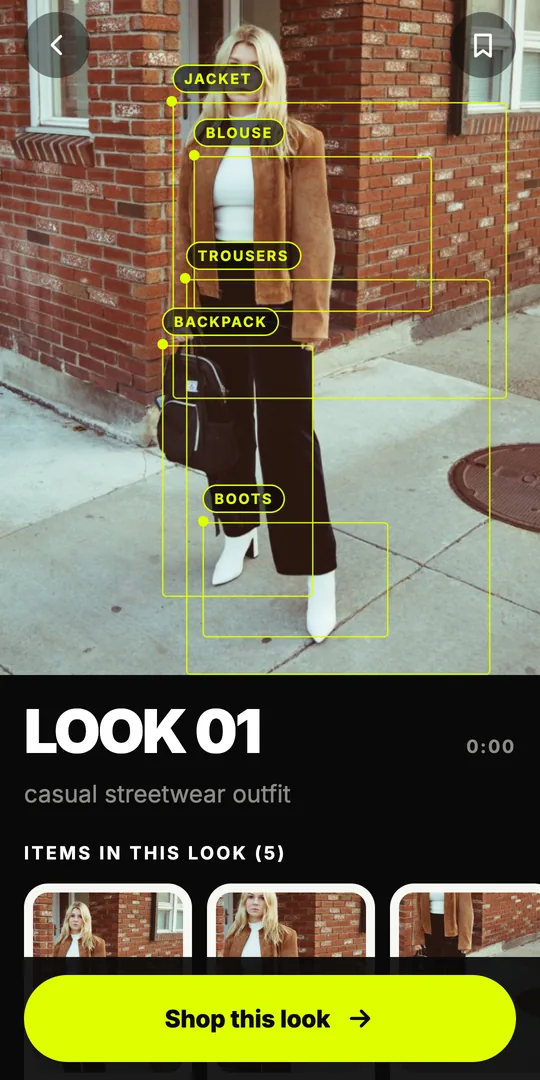
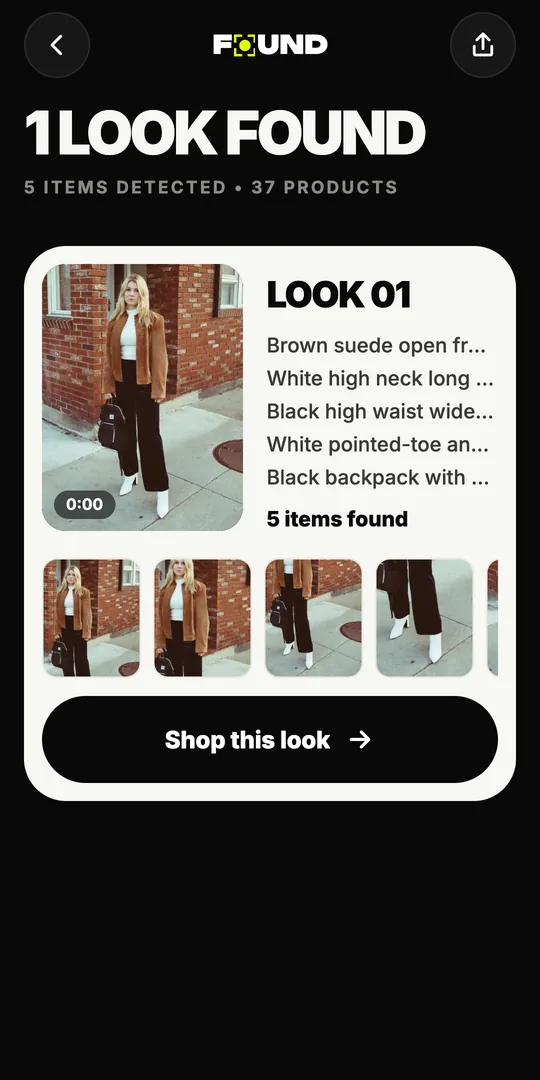
It reads up to 12 still frames and picks out every outfit and each piece: jacket, top, trousers, shoes, bag, sunglasses, jewellery.
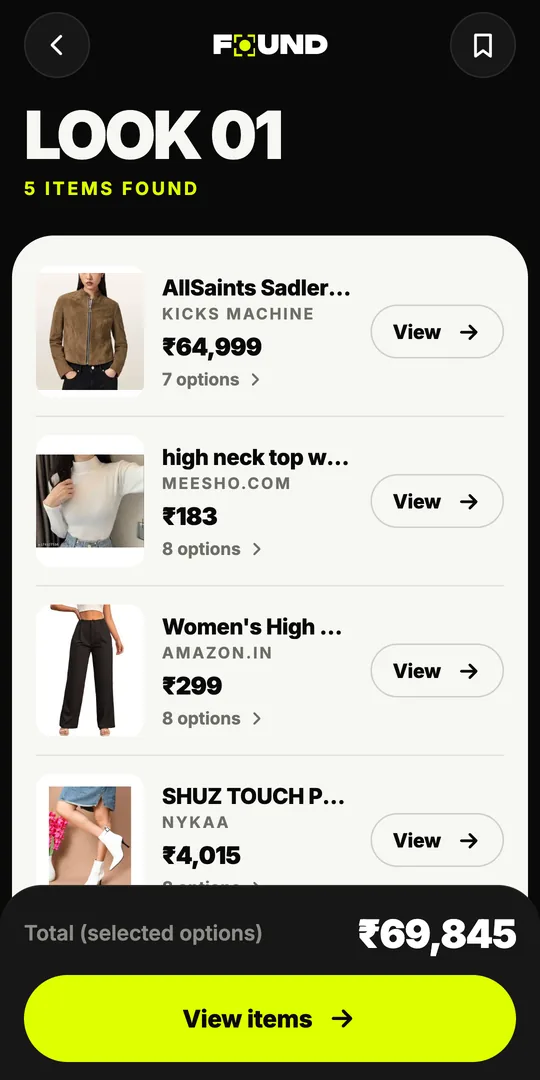
Compare products from Indian stores, pick one per piece, see the total, and buy on the store’s own site.
Inside FOUND
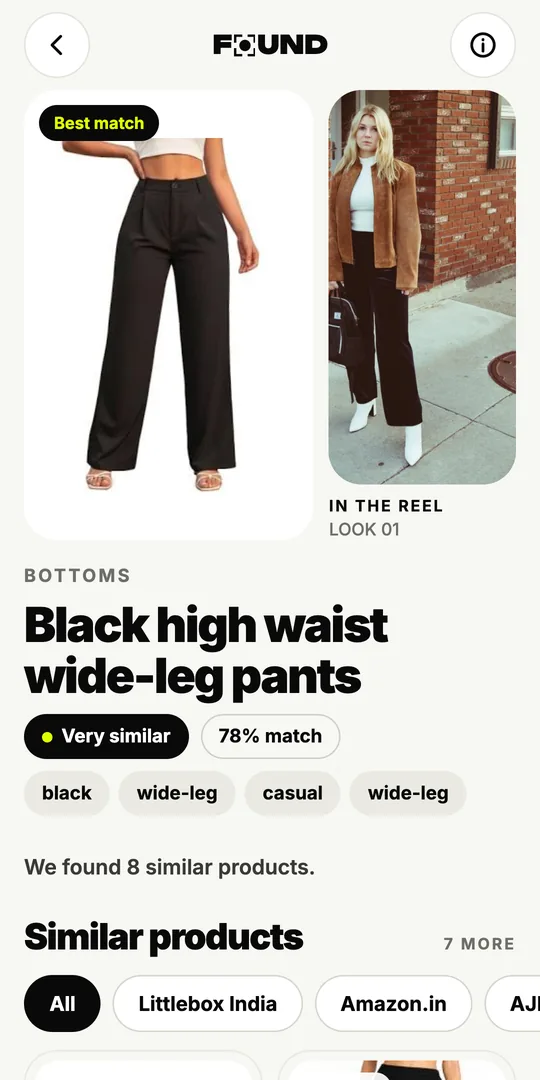
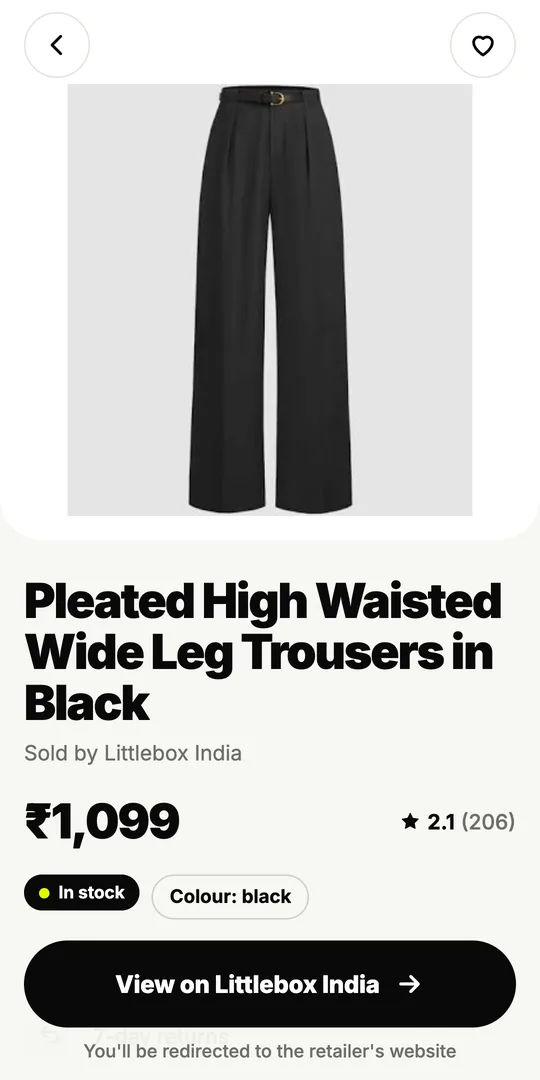
Works where you scroll
Open FOUND in Safari, Chrome or any modern browser, on iPhone, Android or a computer. Paste a Reel link or upload a video or screenshot.
On a Reel, tap Share and choose FOUND. No copying links. Your looks and products stay saved for later.

Pricing
Every plan finds every piece, with store links and honest labels. The demo Reel is always free.
₹0/ month
3 analyses a month
Try it on the Reels you’ve saved.
₹99/ month
30 analyses a month
About ₹3.30 per Reel or video.
₹249/ month
100 analyses a month
About ₹2.49 per Reel or video.
An analysis is one Reel or video you send to FOUND.Paid plans are bought on the web, securely via Razorpay.
Private by design
Product Hunt
Your review helps other shoppers find FOUND, and helps us decide what to build next.


About FOUND
Found: Find outfits from reels (FOUND) is an outfit finder by Sitio Labs, on Android and in the web browser, that finds the clothes, shoes and accessories in an Instagram Reel and shows where to buy matching or similar products from Indian online stores.
More about FOUNDGuides
Share the Reel to FOUND from Instagram’s share menu, or paste its link, and FOUND shows every outfit piece with products from Indian online stores.
You can also upload a video or a screenshot from your gallery. Without an app, check the caption, tags and comments, ask the creator, or search a screenshot with Google Lens. Our step-by-step guide covers every method.
Yes. FOUND, listed on Google Play as “Found: Find outfits from reels”, finds every outfit in a public Instagram Reel and where to buy it, on Android or in your browser.
Share the Reel to the Android app, or paste its link at found.clikit.store/app, and FOUND shows products from Indian online stores with honest match labels. See how reels to outfit works.
A reel-to-outfit app turns a short video into a shopping list: it spots each piece of clothing in a Reel and finds products that match or look similar.
FOUND is one for India. It reads up to 12 still frames, finds every outfit and piece, and searches Indian stores by image and description. Read what makes a good outfit finder app.
Upload the video to FOUND, in the app or your browser, and it identifies the clothes, shoes and accessories, then shows matching or similar products from Indian stores.
A screenshot works too. Clear, well-lit frames where the whole piece is visible give the best results. See how to find clothes from a video or screenshot.
Yes, there is a free plan with 3 Reel or video analyses a month, and the demo Reel is always free.
For more, Plus is ₹99 a month for 30 analyses and Pro is ₹249 a month for 100. Paid plans are bought on the web at found.clikit.store/app/plans, with UPI, cards or net banking through Razorpay. FOUND shows no ads; some store links may be affiliate links, and you always pay for products on the store’s own website.
No. FOUND works with public Instagram Reels only, because it cannot see content that is restricted to an account’s followers.
If a Reel is private, take a screenshot of the outfit (where the creator is happy for you to) and upload it from your gallery instead.
FOUND searches Indian online stores, with results from stores like Myntra, AJIO, Amazon.in, Meesho, Nykaa Fashion, Westside, Tata CLiQ, Zara, H&M and Flipkart.
Which stores appear depends on what each search finds. FOUND isn’t affiliated with or endorsed by these stores; it links you to their sites to buy.
Yes, in your browser. There is no iPhone app yet, but FOUND works in Safari or any modern browser at found.clikit.store/app.
Open FOUND in your browser, then paste a Reel link or upload a video. On Android you can also get the app on Google Play and share Reels straight from Instagram.
They show how close a product is to the piece in the Reel: “Likely match” is closest, “Very similar” matches key details, and “Similar” shares the overall look.
FOUND never claims a guaranteed exact match from a few video frames. Read how to tell if it’s the exact product.
No. FOUND never asks for your Instagram username or password; you sign in with your mobile number and a one-time password (OTP), or with Google.
You only share a public Reel’s link with FOUND, the same way you would share it with a friend.
FOUND never uploads your full video. It picks up to 12 still frames, uploads only those, and deletes them within 24 hours.
Read more in your privacy when using shopping apps and our privacy policy.
In the app, tap your profile on Home, then tap Delete account. You can also request deletion at found.clikit.store/account/delete.
Deleting your account removes your account and data. See the account deletion page for details.
Yes. You can try the demo Reel without signing up, in the app or in your browser.
When you want an account, sign in with your mobile number and an OTP, or with Google. There are no passwords to remember.
FOUND is an outfit finder by Sitio Labs, on Android and in the browser, that finds outfits from Instagram Reels; its website is found.clikit.store.
FOUND lives on clikit.store, alongside Clikit, by Sitio Labs. Read more about FOUND.
The FOUND Journal
Explore the hottest Diwali outfit ideas for women 2026, from jewel‑toned lehengas to bandhani kurtas, and learn how to shop each look with FOUND.
Four ways to find an outfit you saw in an Instagram Reel: check the caption and tags, ask the creator, use Google Lens, or let FOUND find every piece.
What FOUND's match labels mean, why no app can promise an exact match from a video, and a checklist to confirm a product before you buy it.
Paste the Reel you’ve been staring at. Your first three analyses each month are free.