Shop the look app
Shop the look from any Reel
How to shop the look from an Instagram Reel with FOUND: one product per piece, the total for the options you pick, and honest match labels.

Found: Find outfits from reels · on Android and in your browser, iPhone included · free plan, no Instagram login · See the steps
The short answer
To shop the look from a Reel, send it to FOUND and tap Shop this look on the look you want. FOUND lists one product for each piece, with the store and price where the store lists them, and adds up the total for the options you’ve picked. Swap any piece, then buy each one on the store’s own site.
By FOUND Editorial at Sitio Labs · Updated
Step by step
How to shop the look from a Reel
From a Reel you saved to a full outfit in your basket, in a few taps.
Open the look
Share the Reel to FOUND or paste its link. When the results are ready, each look in the video is listed with the pieces FOUND found in it.
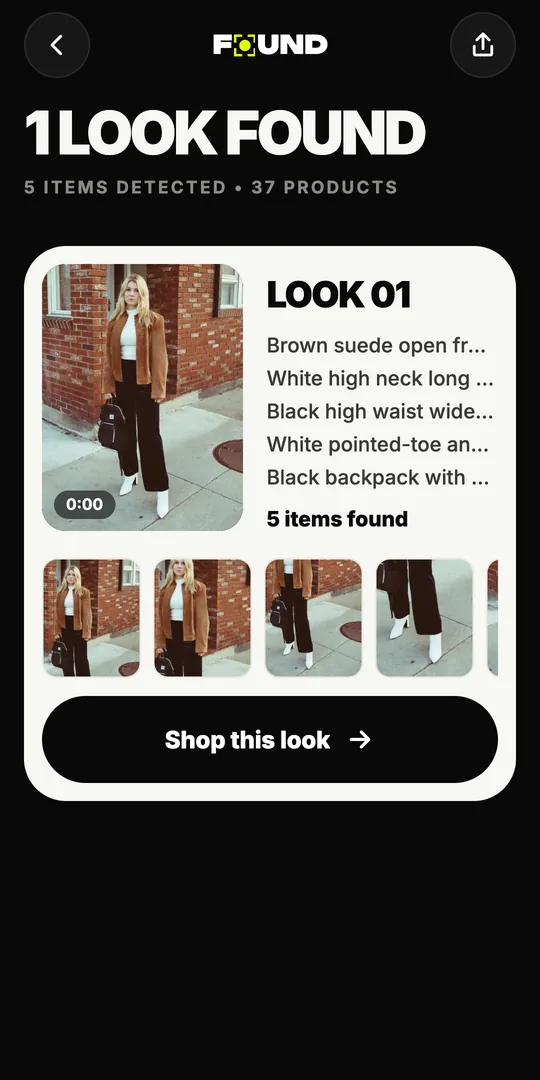
Tap Shop this look
FOUND lists one option per piece, with the store and price where they’re listed, and the total for the options you’ve selected.
Swap, then buy on the store's site
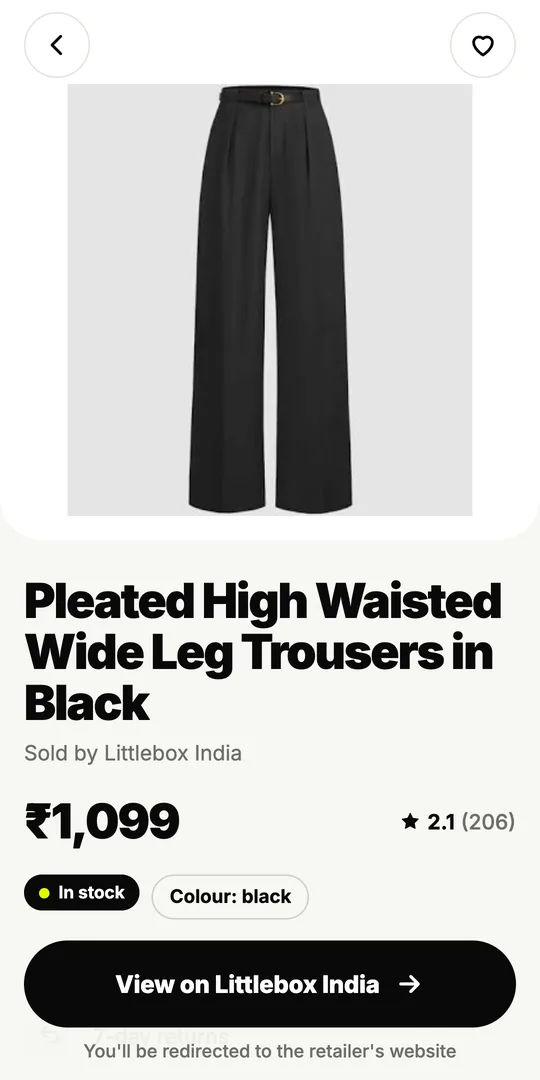
Change any piece to another option, tap a product to see its details, then tap View on the store to buy it on the store’s own website.
What does “shop the look” mean?
“Shop the look” means buying a whole outfit, not just one piece of it. In a magazine it’s the box listing every item the model wears. In a Reel there’s usually no box at all, just a great outfit and a caption that doesn’t help.
FOUND builds that box for you. It’s an outfit finder on Android and in your browser, listed on Google Play as Found: Find outfits from reels, and Shop this look is the screen where a Reel becomes a list of products you can buy.
How does Shop this look work in FOUND?
When you send a Reel to FOUND, it reads up to 12 still frames and finds each outfit and every piece in it. Every look in the results has a Shop this look button. Tap it, and you get:
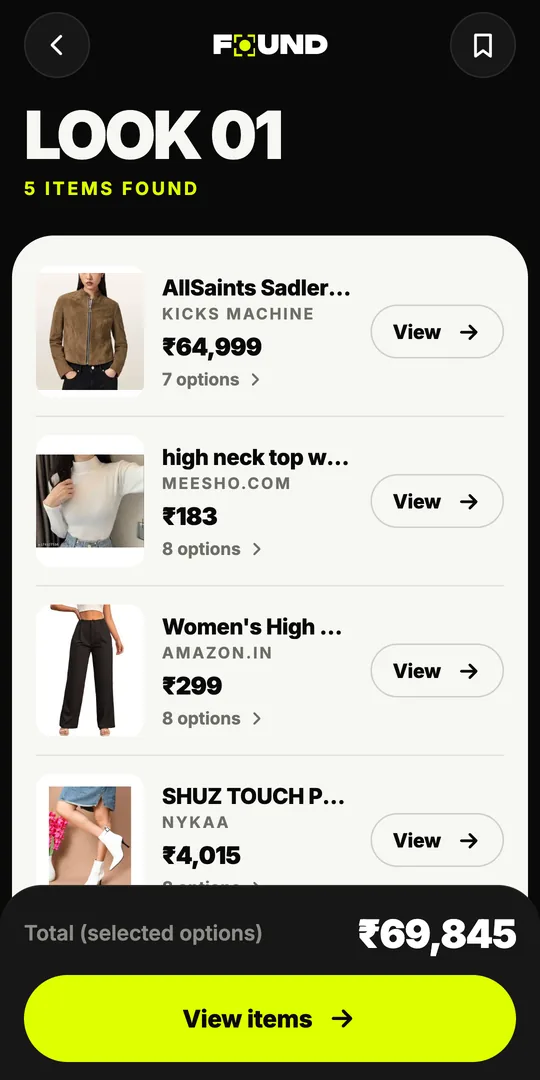
- One option per piece. The jacket, the top, the trousers, the shoes, the bag: each with one product picked to start.
- The store and price, when listed. Each option shows which store sells it and the price in ₹ when the store lists one.
- A total. At the bottom, FOUND adds up the prices for the options you’ve selected, so you can see what the outfit costs before you open a single store.
- Other options. Each piece has more options to choose from. Swap one, and the total changes with it.
It’s the quickest way to answer the question that matters once you love a look: can I afford all of it, or just the jacket?
What do the labels mean when you shop the look?
Every product carries an honest label, and it’s worth checking before you buy:
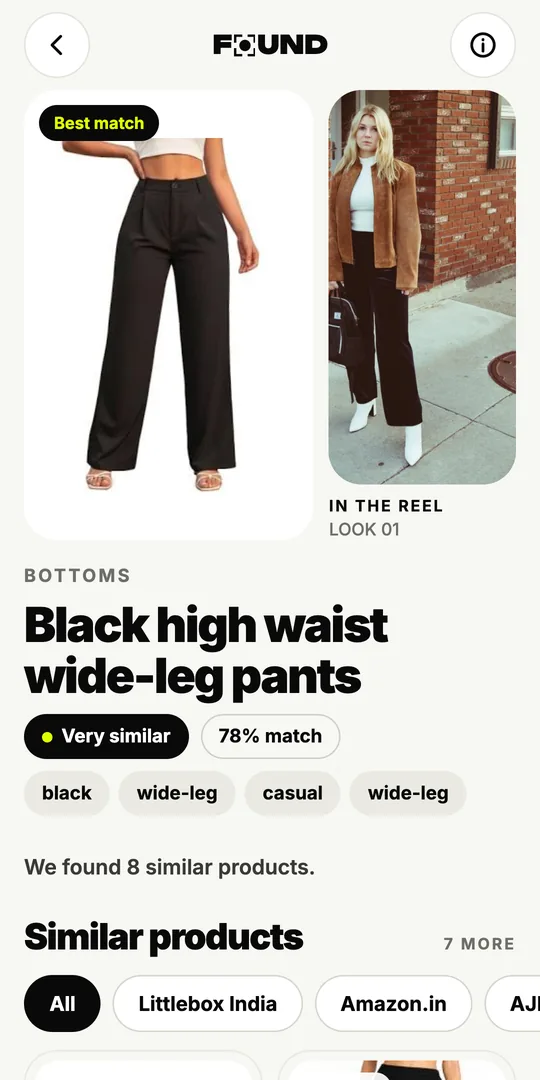
- Likely match: it could be the same piece.
- Very similar: close in cut, colour and pattern.
- Similar: the same type of piece with the same overall look.
Mixing labels is fine, and often smart. A Likely match jacket with Very similar trousers can recreate the look for much less than buying every exact piece. Read more on what each label means.
How do you shop the look on a budget?
Start with the piece that makes the outfit. In most looks it’s one thing: the jacket, the saree, the shoes. Put your money there, and use Very similar or Similar options for the basics around it.
Then check the details the store lists: fabric, fit, delivery time and the returns policy. A cheaper piece with no returns isn’t always the better deal. Our guide to shopping the look on a budget in India goes through it step by step, and the fashion terms glossary helps when a product page says “drop shoulder” or “A-line”.
Where do you actually pay?
On the store’s own website. When you tap a product in FOUND, you see its details, then View on the store opens that store’s page, where you choose your size, pay and check out. FOUND never takes payment. Price, stock, delivery and returns in FOUND are shown only when the store lists them, and the store’s site is the final word on all of them. Our guide to shopping Instagram Reels in India covers checking sizes and returns, and avoiding fake listings.
FOUND shows no ads. Some links to stores may be affiliate links, which means a store may pay Sitio Labs a commission when you buy.
Can you save a look for later?
Yes. Save looks and products you like, and they’re kept in the Saved tab on your phone. Your past Reels are in History, so you can come back to a look before payday or when a festive sale starts. Planning for a festival? See our Diwali outfit ideas.
How do you get started?
Install FOUND from Google Play, open a Reel you love in Instagram, tap Share and choose FOUND. You can try the demo first without an account. New to it? The reels to outfit page shows the full flow, and the home page has the FAQ.
Can I buy the whole look in one checkout?
No. FOUND has no cart or checkout of its own; each piece opens on its store’s website, where you buy it.
That means each store’s own prices, offers, delivery and returns apply to what you buy there.
Is the Shop this look total the final price?
No. It adds up the prices the stores list for the options you’ve picked, so it’s a guide to what the look costs.
Pieces without a listed price aren’t counted. Delivery charges, offers and the final price are set by each store at checkout.
Can I change a piece in the look?
Yes. Each piece has other options to pick from, and the total updates to match what you’ve selected.
Where does FOUND shop the look from?
FOUND searches Indian online stores, with results from stores like Myntra, AJIO, Amazon.in, Meesho, Nykaa Fashion, Westside, Tata CLiQ, Zara, H&M and Flipkart.
FOUND isn’t affiliated with these stores. Some links may be affiliate links.