Reels to outfit, in one tap
Reels to outfit: find any outfit from an Instagram Reel
Turn an Instagram Reel into an outfit you can buy. Paste it into FOUND, in your browser or on Android, and see every piece and where to buy it in India.

Found: Find outfits from reels · on Android and in your browser, iPhone included · free plan, no Instagram login · See the steps
The short answer
To go from a Reel to an outfit, share the public Instagram Reel to FOUND, or paste its link. FOUND reads up to 12 still frames, finds every outfit and each piece in it, and shows products from Indian online stores, each labelled Likely match, Very similar or Similar.
By FOUND Editorial at Sitio Labs · Updated
Step by step
How to turn a Reel into an outfit
Three steps, on your phone or computer. FOUND works in the Android app and in your browser, with a free plan.
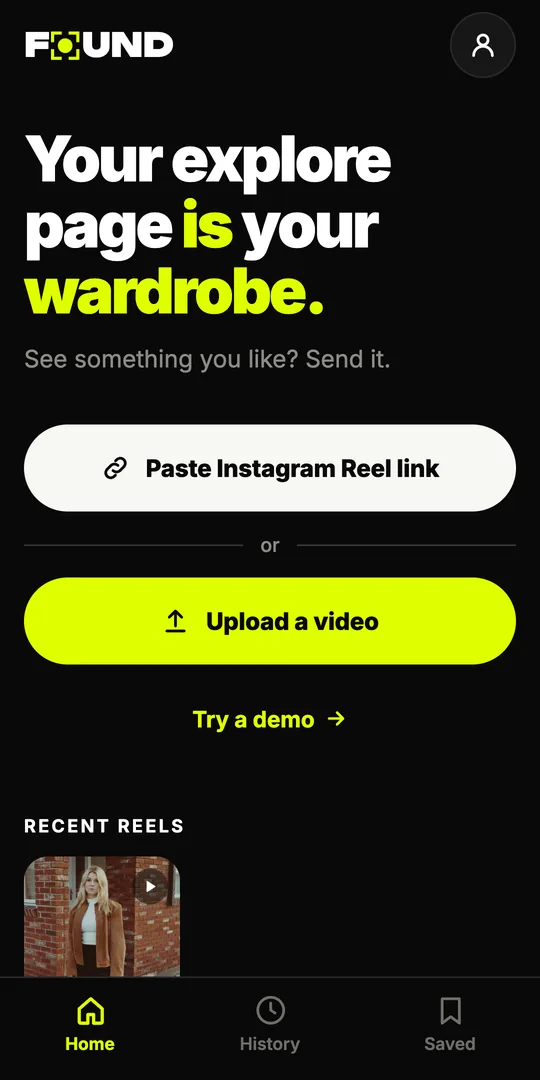
Send the Reel to FOUND
In Instagram, tap Share on the Reel and choose FOUND (Android app). Or copy the Reel’s link and tap Paste Instagram Reel link on FOUND’s home screen, in the app or in your browser.
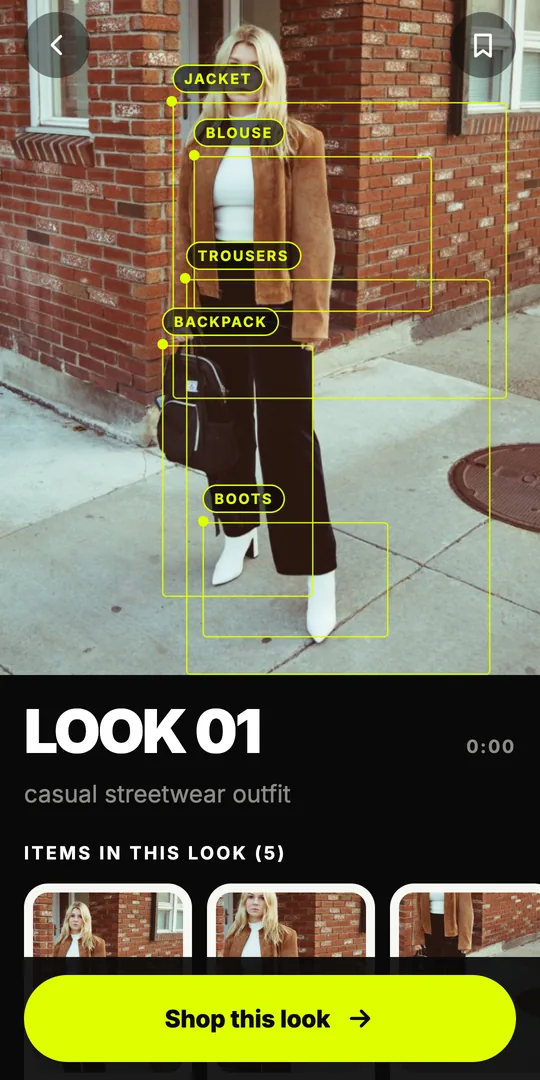
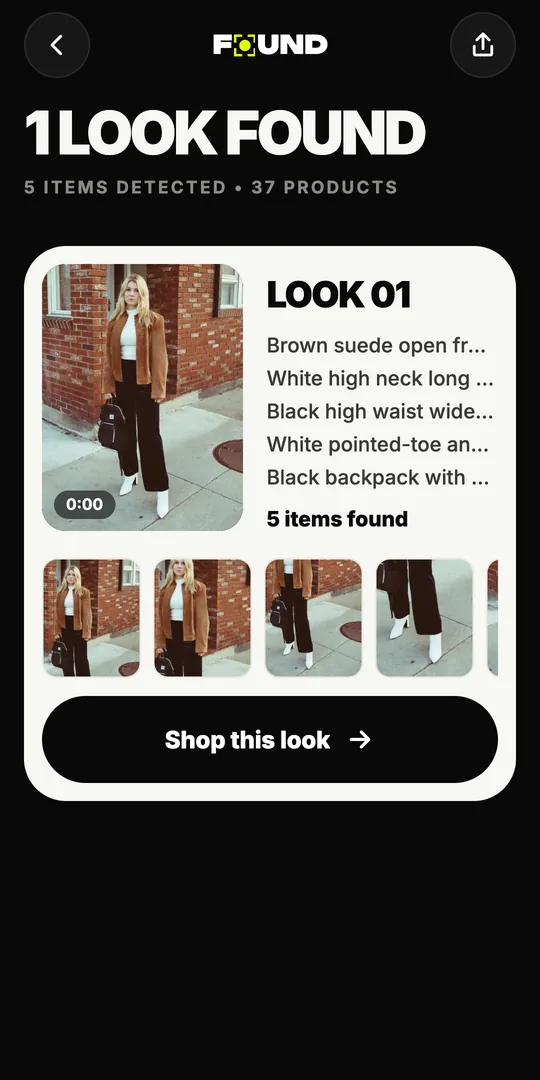
FOUND finds every piece
FOUND reads up to 12 still frames from the video. Its AI picks out each outfit in the Reel and every piece in it, from the jacket down to the shoes.
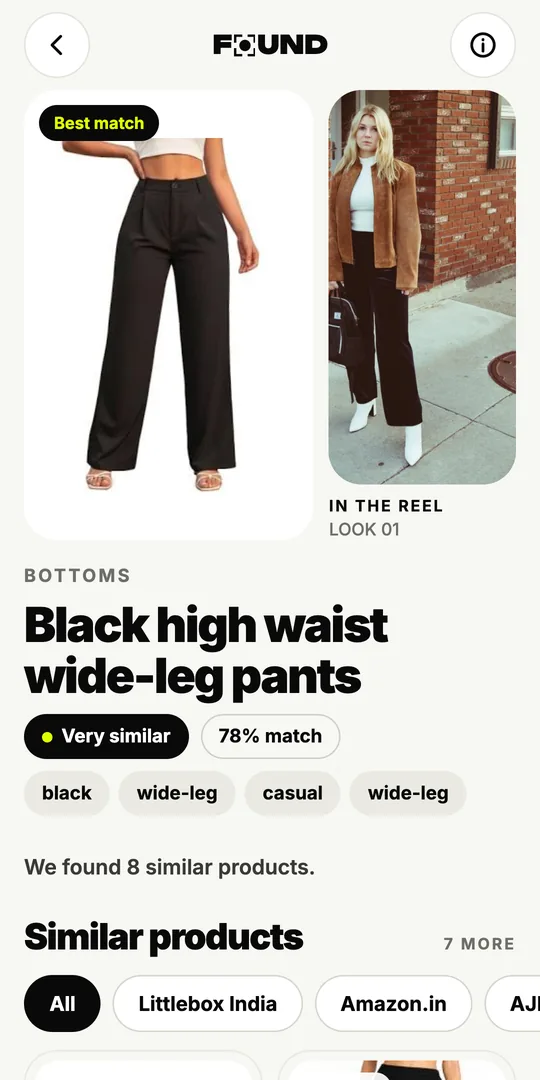
Pick a piece and shop
Tap a piece to see products from Indian stores with honest labels, or tap Shop this look for one option per piece and the total.
What does “reels to outfit” mean?
You’re scrolling, a Reel stops you, and the outfit is exactly what you’ve been looking for. The caption is a string of emojis. The comments are full of people asking “details?” with no reply. “Reels to outfit” is the shortcut: you hand the video to an app and get back the outfit as a list of things you can actually buy.
That’s what FOUND does. On Google Play it’s called Found: Find outfits from reels, and it’s an outfit finder made in India by Sitio Labs, on Android and in your browser. You send it a public Reel, and it gives you every outfit in the video, broken down piece by piece, with products from Indian online stores next to each one.
What can FOUND find in a Reel?
FOUND looks for every outfit in the video, not just the most obvious piece. For each look it lists the pieces it can see, such as:
- Outerwear and tops: jackets, shackets, blazers, shirts, blouses, tees
- Bottoms and dresses: trousers, jeans, skirts, co-ord sets, dresses
- Ethnic wear: kurtas, sarees, lehengas
- Shoes and bags: sneakers, boots, heels, juttis, backpacks, totes
- Accessories: sunglasses, jewellery and hats
Looking for one piece in particular? See how to find a dress, kurta or saree or shoes and sneakers from a Reel. If a word in the results is new to you, our fashion terms glossary explains it in plain English.
How does FOUND search Indian stores?
For each piece, FOUND runs two kinds of search. An image search (Google Lens) looks for products that look like the piece. A description search (Google Shopping) looks for products that match words like “olive cotton overshirt” or “black high-waist wide-leg trousers”. Then it ranks what comes back.
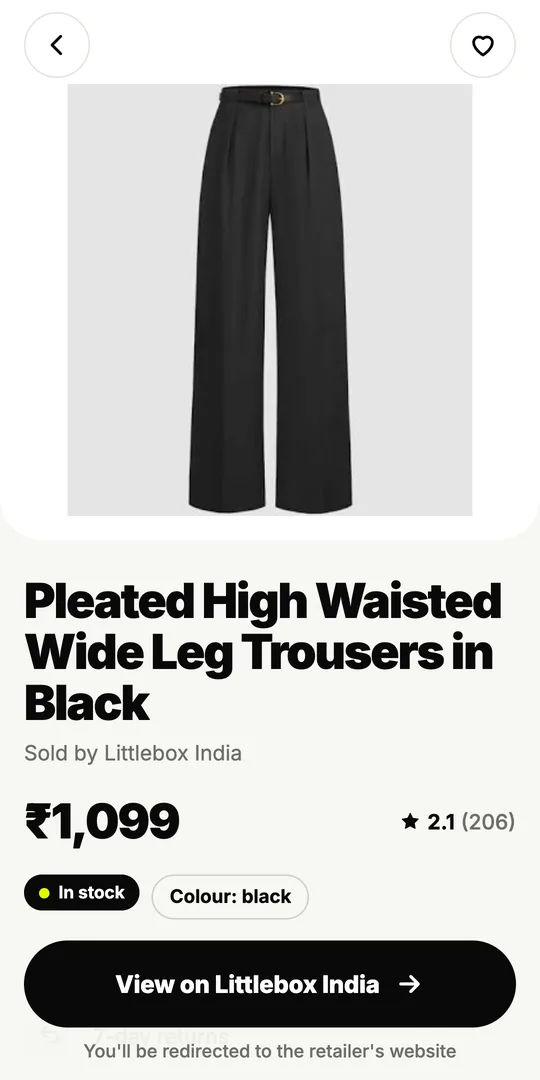
Results come from stores like Myntra, AJIO, Amazon.in, Meesho, Nykaa Fashion, Westside, Tata CLiQ, Zara, H&M and Flipkart. FOUND isn’t affiliated with these stores. When you’re ready to buy, the product opens on the store’s own website, and you pay there. Want the full picture? Read how outfit-finding AI works.
How close are the matches?
Every product carries one of three labels, so you know what you’re looking at before you tap:
- Likely match: it could be the same piece.
- Very similar: close in cut, colour and pattern.
- Similar: the same type of piece with the same overall look.
FOUND never promises an exact match. A few frames from a phone video can’t prove that a product is the same one the creator wore, and an app that says otherwise is guessing. Here’s how to check whether it’s the exact product before you buy.
What are the honest limits?
Reels to outfit works best when the piece is clearly visible. A few things make it harder:
- Fast cuts and motion blur. If a piece is only on screen for a blurry half-second, there may be no clear frame of it.
- Hidden details. A jacket that’s always half-covered by a bag, or shoes that never come into frame, are hard to find.
- One-off pieces. Custom tailoring, designer samples and small boutique pieces may not be listed online at all. FOUND will then show similar pieces instead.
- Private Reels. FOUND can only open public Reels.
When the exact piece isn’t out there, a good “Very similar” result at a price you like is often the better buy anyway. Our guide to shopping the look on a budget shows how to judge one.
Can you go from Reel to outfit without an app?
Yes, it just takes longer. Read the full caption and the tagged accounts, check the pinned comment and the creator’s bio link, and ask the creator a short, specific question. If that fails, pause on a sharp frame, take a screenshot and search it with Google Lens, one piece at a time. Our guide to finding clothes from an Instagram Reel walks through each method. FOUND does the same job for the whole video at once; here’s how FOUND compares with Google Lens.
Is it private?
FOUND never asks for your Instagram login. It doesn’t upload your video: it picks up to 12 still frames on your phone, uploads only those, and deletes them within 24 hours. You can try the demo without an account, and sign in later with your mobile number (OTP) or Google. More on the About page.
Can FOUND find the outfit from any Instagram Reel?
FOUND works with any public Instagram Reel, from any creator. Private Reels, and Reels only an account’s followers can see, won’t work.
For a private Reel, take a screenshot of the outfit (where the creator is happy for you to) and upload it from your gallery instead.
Does the creator need to tag the brand?
No. FOUND searches by what each piece looks like and by a description of it, so it can find products even when the caption says nothing.
Tags and captions are still worth a look: if the creator names the exact brand, that’s the surest answer.
How many outfits can FOUND find in one Reel?
FOUND looks for every outfit it can see in the frames it reads, so a Reel with several looks comes back as several looks, each with its own pieces.
Is there a reel outfit finder for iPhone?
Yes. There is no iPhone app yet, but FOUND works in Safari or any browser at found.clikit.store/app: paste the Reel’s link or upload a video.
Open FOUND in your browser. You can also try the manual methods in our step-by-step guide.