Shopping Instagram Reels in India
How to shop what you see on Instagram Reels in India
A practical guide to buying outfits you see on Instagram Reels in India: finding the pieces, choosing a store, checking sizes and returns, avoiding fakes.

Found: Find outfits from reels · on Android and in your browser, iPhone included · free plan, no Instagram login · See the steps
The short answer
To shop what you see on Instagram Reels in India, first find the pieces: check the creator’s tags, or send the Reel to an outfit finder like FOUND. Then buy from a store you trust, read its size chart and returns policy, and be careful with prices that look too good or sellers who only take orders by DM.
By FOUND Editorial at Sitio Labs · Updated
Step by step
How to shop an outfit from a Reel in India
Find the pieces, pick a store, check before you pay.
Find the pieces
Check the caption, tags and pinned comment. If they don’t help, share the public Reel to FOUND or paste its link, and FOUND finds every piece with products from Indian stores.
Compare your options
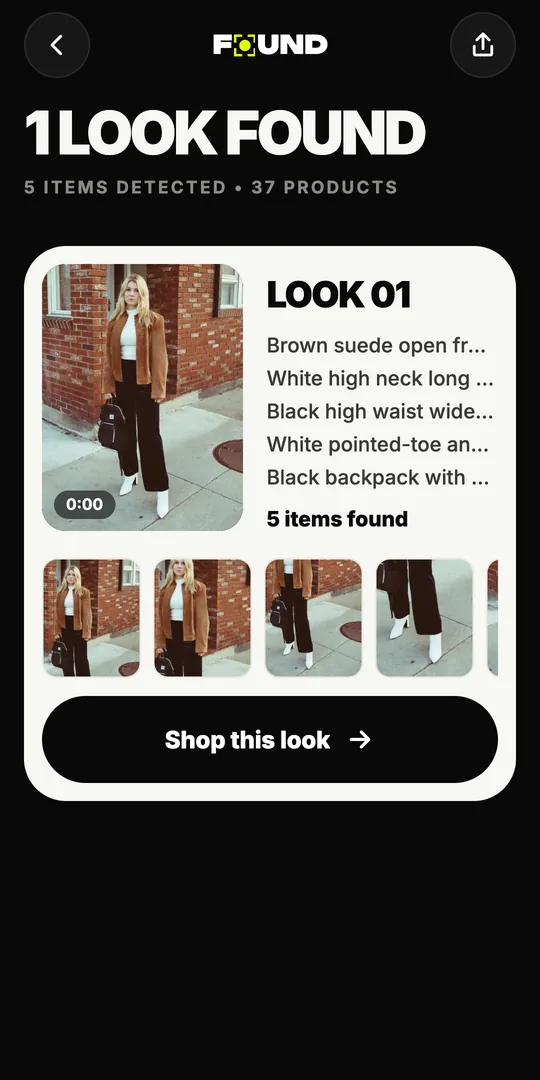
Tap a piece to compare products labelled Likely match, Very similar or Similar, or tap Shop this look for one option per piece and the total.
Check, then buy on the store's site
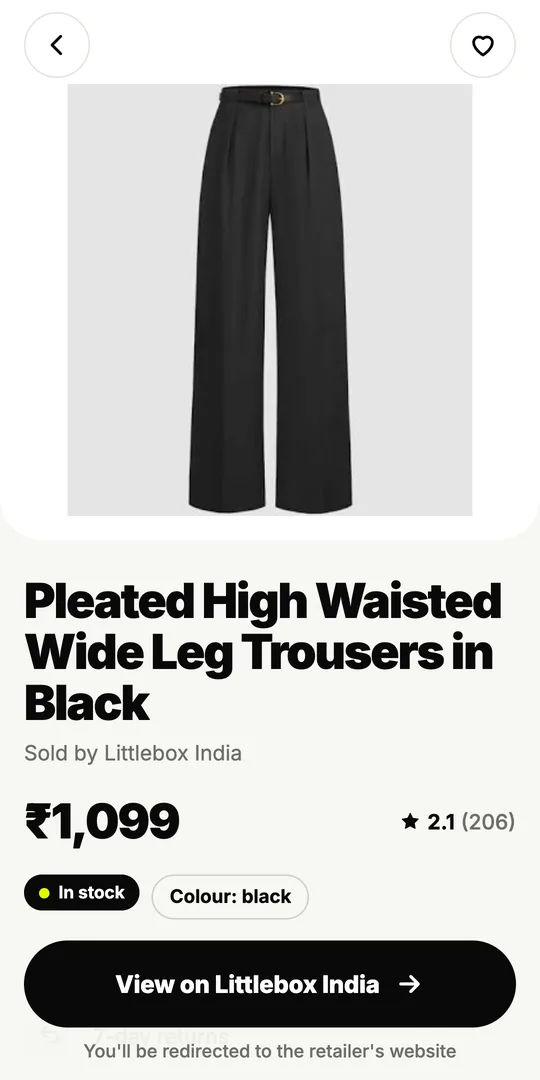
Open the product on the store’s own website. Read the size chart, fabric, delivery time and returns policy before you pay.
How do people shop from Instagram Reels in India?
It usually starts the same way: a Reel with a great outfit, a caption that says “outfit details below” and comments that don’t. Shopping a Reel is really three jobs: working out what each piece is, finding a store that sells it (or something close), and buying it without getting a bad fit, a fake or a refund fight.
This guide covers all three. FOUND helps with the first two. It’s an outfit finder by Sitio Labs, listed on Google Play as Found: Find outfits from reels, and it also works in your browser. The third job, buying safely, is about habits, and those apply wherever you shop.
How do you find out what’s in the Reel?
Start with what the creator gave you:
- Tags and caption. Brand tags on the video and names in the caption are the surest answer.
- Pinned comment and bio link. Many creators put their links there.
- Ask. A short, specific question (“Where’s the blue shirt from?”) gets more replies than “details??”.
If none of that works, send the public Reel to FOUND. It reads up to 12 still frames, finds every outfit and each piece, from kurtas and dresses to shoes, bags and sunglasses, and searches Indian online stores by image and description. For a story or photo post, upload a screenshot instead; our Instagram outfit finder page explains how for each format.
Where should you buy?
Where a piece is sold changes what you should check. Here’s how the usual options compare:
| Where | What’s good | What to check |
|---|---|---|
| The brand’s own website or app | You know it’s the real brand; returns are usually clearly written | Shipping charges, and whether sale items can be returned |
| Large online stores and marketplaces | Many options, customer reviews, familiar checkout | Who the actual seller is, and their ratings |
| Small brands with their own website | Unique pieces, often the ones creators wear | Contact details, returns policy, delivery time |
| Instagram-only sellers (“DM to order”) | Sometimes the only place a piece is sold | How you pay, what happens if it doesn’t arrive or fit |
FOUND shows results from stores like Myntra, AJIO, Amazon.in, Meesho, Nykaa Fashion, Westside, Tata CLiQ, Zara, H&M and Flipkart. FOUND isn’t affiliated with these stores, and when you’re ready to buy, the product opens on the store’s own website.
How do you get the size right?
Creators rarely tell you their size, and the same size fits differently from brand to brand. Before you order:
- Measure yourself (chest or bust, waist, hips, and foot length for shoes) and keep the numbers in your notes app.
- Read the size chart for that product, not a general one. Many charts list garment measurements, which are bigger than body measurements.
- Check the fit notes. “Relaxed”, “oversized” and “slim” change which size to pick.
- Read reviews about fit. “Runs small” in three reviews is worth listening to.
FOUND doesn’t give size advice, so the store’s page is the one to trust.
How do you check returns before you pay?
A cheap piece you can’t return isn’t always cheap. On the product page or at checkout, look for:
- Return or exchange window, and whether this item is eligible.
- Sale, festive and custom pieces. These sometimes can’t be returned.
- Who pays for return shipping.
- Refund method. Back to your payment method, or store credit only?
FOUND shows returns, delivery and stock only when the store lists them, so open the store’s page to confirm.
How do you avoid fake or unreliable listings?
Most online shopping goes fine, but a few warning signs are worth knowing:
- A price far below everywhere else for a branded piece. Listings that say “first copy”, “master copy” or “7A” are telling you it isn’t the real brand.
- Payment only to a personal UPI ID or bank account, with no order page or invoice.
- No returns policy, no address and no contact other than Instagram DMs.
- Comments turned off and no customer photos anywhere.
- A web address that’s almost a big store’s name, but not quite.
When in doubt, buy the same piece, or a Very similar one, from a store you already trust. Cash on delivery, where a store offers it, also lowers the risk with a new seller.
How do you shop the whole look on a budget?
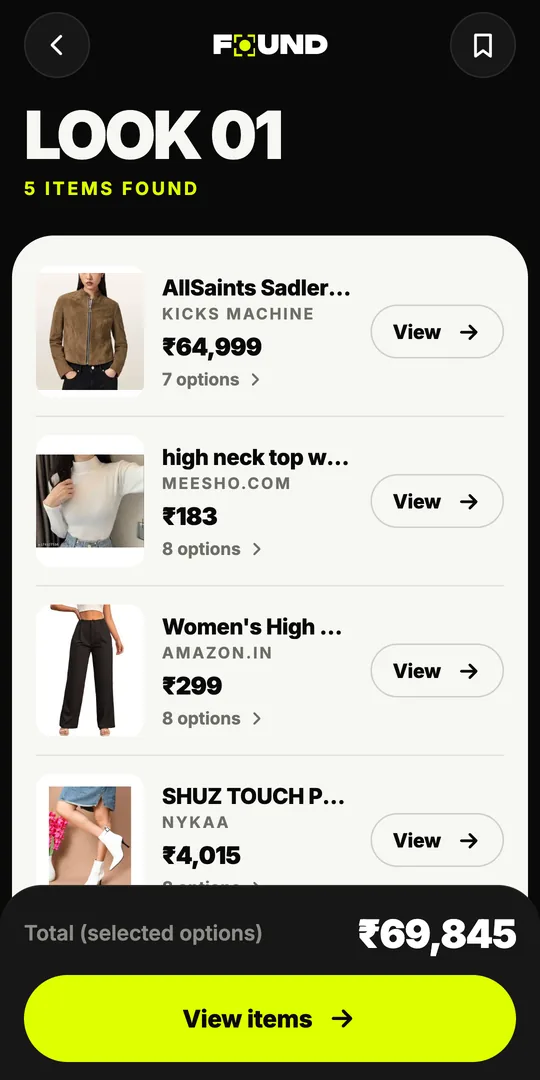
You don’t have to buy every exact piece. Pick the one that makes the outfit, spend there, and use Very similar or Similar options for the rest. Shop this look in FOUND lists one option per piece with the total for the prices that are known, so you can see the cost before opening a single store. Our guides to recreating an influencer’s look on a budget and shopping the look on a budget go further.
Ready to try it? Open FOUND in your browser and paste a Reel link. The free plan includes 3 analyses a month, and FOUND never asks for your Instagram login.
Can I buy directly from FOUND?
No. FOUND has no cart or checkout; each product opens on its store’s website, where you choose a size and pay.
That means each store’s own prices, offers, delivery and returns apply.
How do I know if an Instagram seller is genuine?
Look for a website with a clear returns policy, real customer reviews, contact details, and payment through a proper checkout rather than to a personal UPI ID.
If a seller only takes orders by DM and insists on full payment upfront, be careful.
Which stores does FOUND search?
FOUND searches Indian online stores, with results from stores like Myntra, AJIO, Amazon.in, Meesho, Nykaa Fashion, Westside, Tata CLiQ, Zara, H&M and Flipkart.
FOUND isn’t affiliated with or endorsed by these stores. Some links may be affiliate links.
Are the prices in FOUND final?
No. FOUND shows the price the store lists, when it lists one; the store’s checkout has the final price.
Offers, delivery charges and stock can change, so check them on the store’s page before you pay.
Can I shop a Reel from an iPhone?
Yes. FOUND works in Safari or any browser at found.clikit.store/app; paste the Reel’s link there.
There’s no iPhone app yet. On Android, you can also get the app on Google Play and share Reels straight from Instagram.