Instagram outfit finder
Instagram outfit finder: how to find an outfit from Instagram
How to find an outfit you saw on Instagram, whether it was in a Reel, a post or a story, and where to buy each piece from Indian online stores.

Found: Find outfits from reels · on Android and in your browser, iPhone included · free plan, no Instagram login · See the steps
The short answer
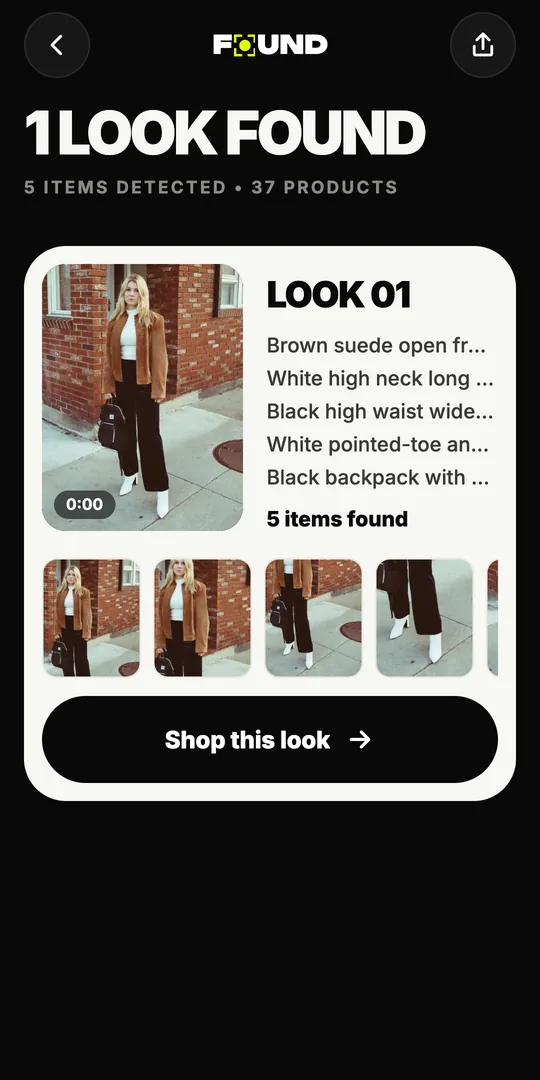
To find an outfit from Instagram, send it to an outfit finder like FOUND. For a public Reel, share it to FOUND or paste its link. For a post or story, take a screenshot or a short screen recording and upload it. FOUND finds every piece and shows products from Indian online stores.
By FOUND Editorial at Sitio Labs · Updated
Step by step
How to find an outfit you saw on Instagram
The same three steps work for Reels, posts and stories. Only the first step changes.
Get the outfit into FOUND
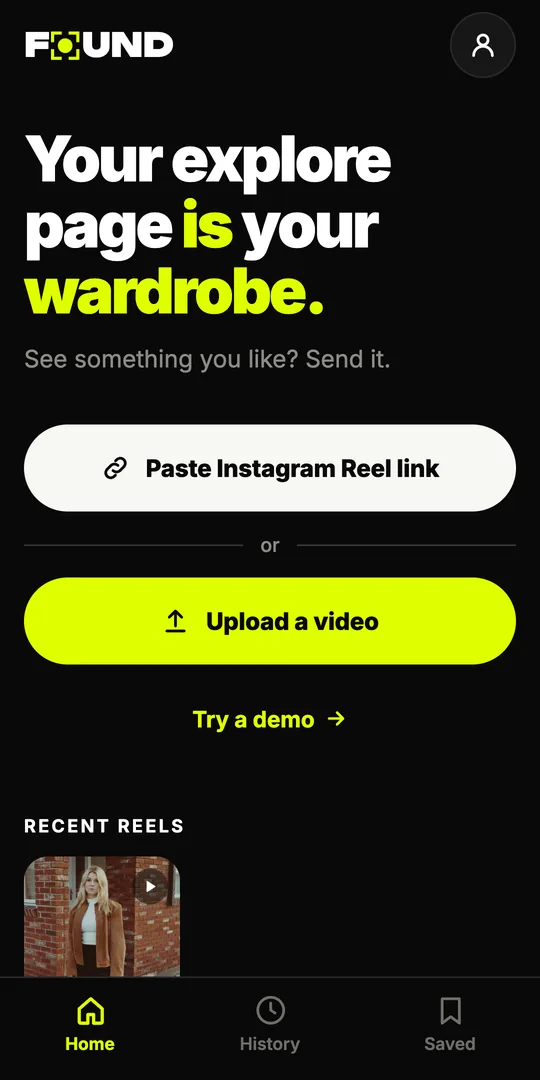
For a public Reel, tap Share and choose FOUND (Android app), or copy the link and tap Paste Instagram Reel link. For a post or story, take a screenshot or screen recording and tap Upload a video.
Let FOUND find each piece
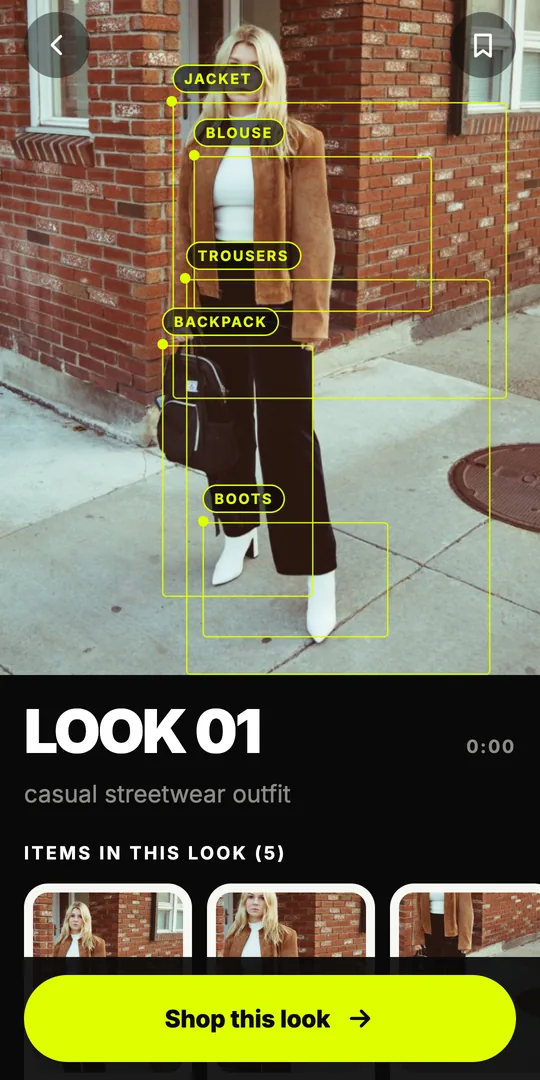
FOUND reads up to 12 still frames from a video, or the single frame of a screenshot, and picks out every outfit and each piece in it.
Compare and buy
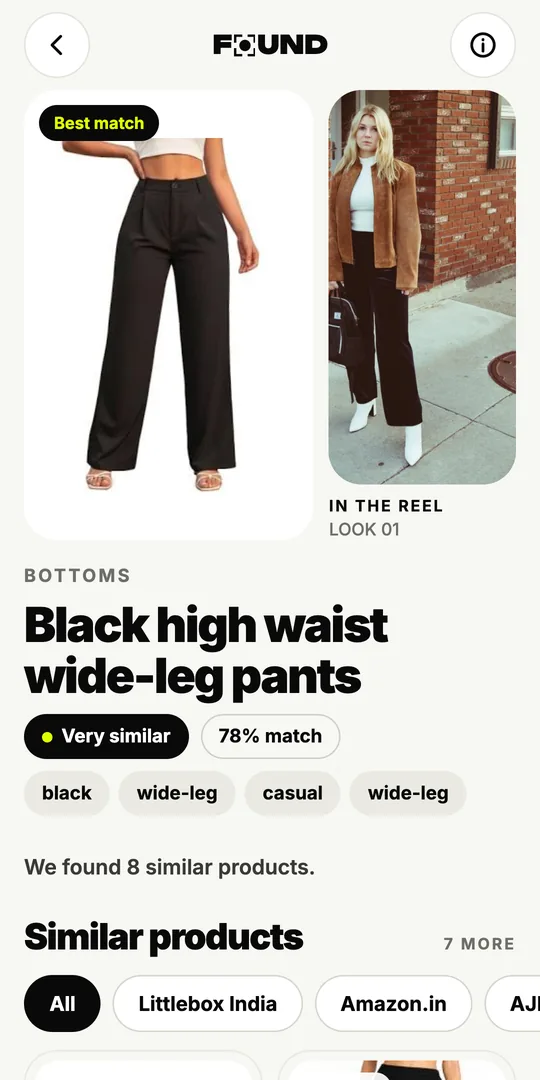
Tap a piece to see products from Indian stores labelled Likely match, Very similar or Similar, then buy on the store’s own site.
What is an Instagram outfit finder?
An Instagram outfit finder is a tool that looks at an outfit you saw on Instagram and finds where to buy it, or something close to it. You give it the Reel, post or story; it gives you back each piece as products you can compare and buy.
FOUND is one built for India. On Google Play it’s listed as Found: Find outfits from reels, by Sitio Labs, and it also works in your browser on iPhone and computers. It finds every outfit in what you send and each piece in it, from the jacket to the earrings, then searches Indian online stores for each one.
How do you find an outfit from each kind of Instagram content?
Instagram has several formats, and each one gets into FOUND a slightly different way:
| What you saw | How to send it to FOUND | Good to know |
|---|---|---|
| A public Reel | Share it to FOUND (Android), or paste the Reel link (app or browser) | FOUND reads up to 12 frames, so it sees the outfit from several angles |
| A photo post | Screenshot the slide with the outfit and upload it | For a carousel, screenshot each slide you care about |
| A story | Screenshot it, or screen-record a few seconds, and upload | Stories usually disappear after 24 hours, so save it while you can |
| A Highlight | Same as a story: screenshot or screen recording | Pause on the clearest moment first |
| A private account’s Reel | Links won’t work; upload a screenshot if the creator is happy for you to | FOUND can only open public Reels |
Whatever you upload, FOUND treats it the same way: it identifies the outfit and every piece in it, and searches for products.
How do you get the best results from a screenshot?
A Reel gives FOUND up to 12 frames to work with. A screenshot gives it one, so that one needs to be good:
- Wait for the clearest moment. Pause when the person is still and facing the camera.
- Get the whole piece in. Shoes cut off at the bottom, or a bag behind an arm, are hard to identify.
- Hide the clutter. Let the controls fade, and pick a moment without big stickers or captions over the clothes.
- Don’t over-zoom. A sharp full frame beats a blurry close-up.
Our page on finding clothes from a video or screenshot has more tips, including what to do with fast-cut videos.
What does FOUND show for each piece?
For each piece, FOUND searches Indian online stores by image and by description, then ranks what it finds. Every product carries one of three labels:
- Likely match: it could be the same piece.
- Very similar: close in cut, colour and pattern.
- Similar: the same type of piece with the same overall look.
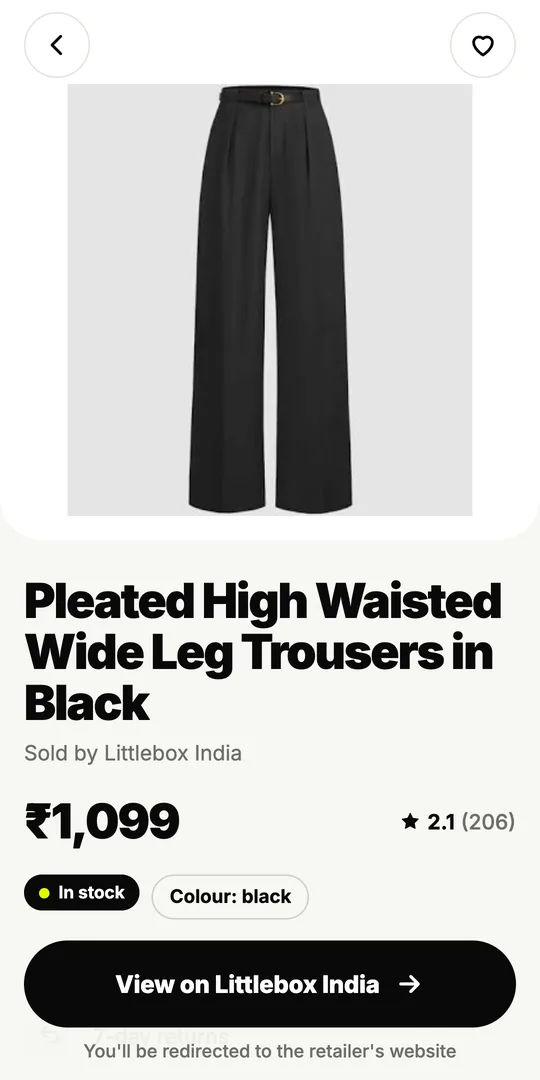
Price in ₹, stock, delivery and returns are shown only when the store lists them. Results come from stores like Myntra, AJIO, Amazon.in, Meesho, Nykaa Fashion, Westside, Tata CLiQ, Zara, H&M and Flipkart; FOUND isn’t affiliated with any of them, and you always buy on the store’s own website. Want the whole outfit at once? Shop this look lists one option per piece with the total.
Should you check the caption and tags first?
Yes, it takes ten seconds. If a creator tagged the brand, named the store in the caption or pinned a comment with links, that’s the surest answer you’ll get. Tags on the photo itself, the bio link and replies from the creator in the comments are worth a look too. Our guide to finding clothes from an Instagram Reel covers each of these manual methods.
When the caption is just emojis, an outfit finder does the rest. It doesn’t need tags: it works from what each piece looks like.
How is this different from searching a screenshot with Google Lens?
Google Lens is a general visual search tool from Google. It’s very good at finding where an image or a single object appears online. For outfits from Instagram, the difference is in the details: FOUND reads several frames from a Reel, picks out every piece at once, focuses on Indian stores and labels how close each product is. We compare the two honestly on FOUND vs Google Lens.
Is it private?
FOUND never asks for your Instagram login, and it never sees your feed or your account. From a video it uploads only the still frames it picked, never the whole video, and deletes them within 24 hours. You can try the demo Reel without an account, and the free plan includes 3 analyses a month.
Ready to try it? Open FOUND in your browser and paste a Reel link, or get the Android app from Google Play and share a Reel straight from Instagram. Once you’ve found the pieces, our guide to shopping Instagram Reels in India helps you buy them safely.
Can FOUND open Instagram posts and stories by link?
No. FOUND opens public Reel links; for a photo post or a story, upload a screenshot or a screen recording instead.
Uploads go through Upload a video, which accepts videos and screenshots from your gallery.
Do I need to log in to Instagram through FOUND?
No. FOUND never asks for your Instagram username or password.
You sign in to FOUND with your mobile number (OTP) or Google, and the demo Reel works without an account.
Can I find an outfit from a private Instagram account?
Not by link. FOUND can only open public Reels.
If you can see the outfit and the creator is happy for you to, a screenshot of it can be uploaded from your gallery.
Is there an Instagram outfit finder for iPhone?
Yes. There is no iPhone app yet, but FOUND works in Safari or any browser at found.clikit.store/app.
Open FOUND in your browser, then paste a Reel link or upload a screenshot.
Will it find the exact piece the creator wore?
Sometimes, but no app can promise that from a few frames, so FOUND labels every product honestly.
Here’s how to check if it’s the exact product before you buy.